Weight & Measurements Tracker app icon
Weight & Measurements Tracker
Body Progress: Fat Loss & Gain · by OIZ Apps

Track every body measurement — and see your body change

Log your waist, chest, hips, arms and thighs on a visual body map, record your weight and body fat percentage, and compare before & after progress photos — all in one place, with a full history behind every number.
Free to download Completely Ad‑Free iPhone & iPad Metric & Imperial
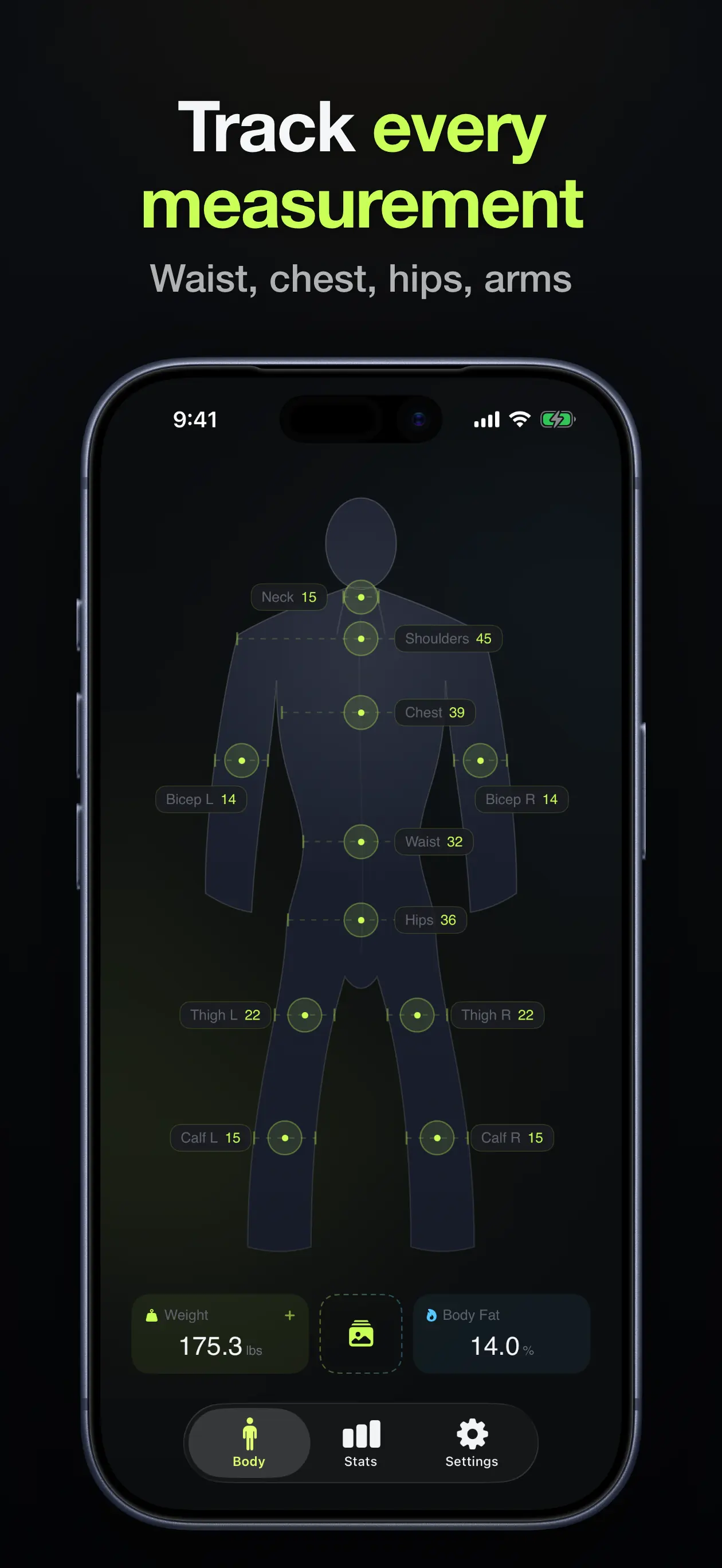
Weight & Measurements Tracker app showing a body map with neck, shoulders, chest, biceps, waist, hips, thighs and calves measurements, plus weight and body fat

Download Weight & Measurements Tracker

Free on the App Store for iPhone and iPad. No ads, ever — with an optional Premium upgrade.

Health & Fitness iOS 18.6+ 8 Languages ~19 MB

See the app in action

Everything you need to follow your body’s progress — measurements, weight, body fat, and photos.
Body map home screen with neck, shoulders, chest, biceps, waist, hips, thighs and calves measurements and weight and body fat tiles
Every measurement on one body map
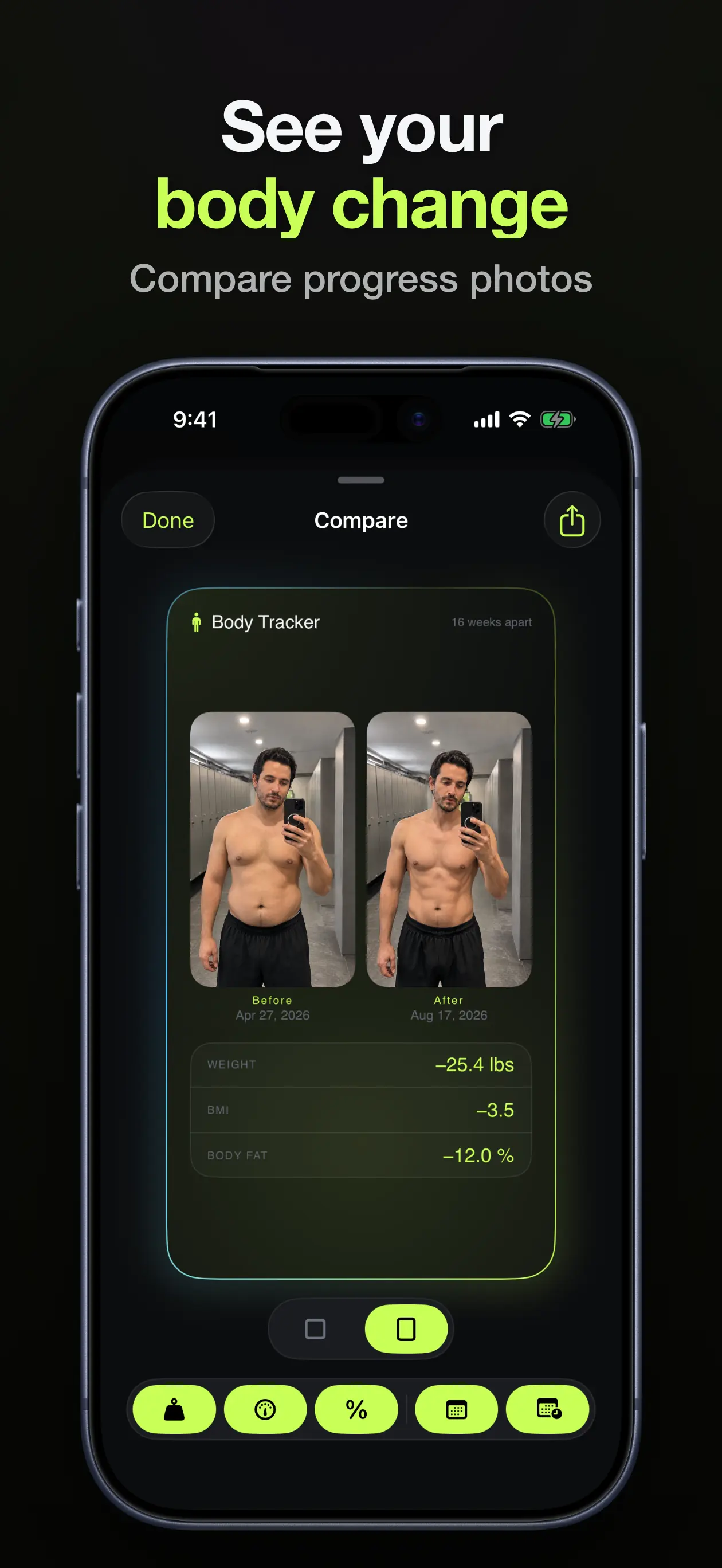
Before and after progress photo comparison sixteen weeks apart, with the change in weight, BMI and body fat
Compare before & after photos
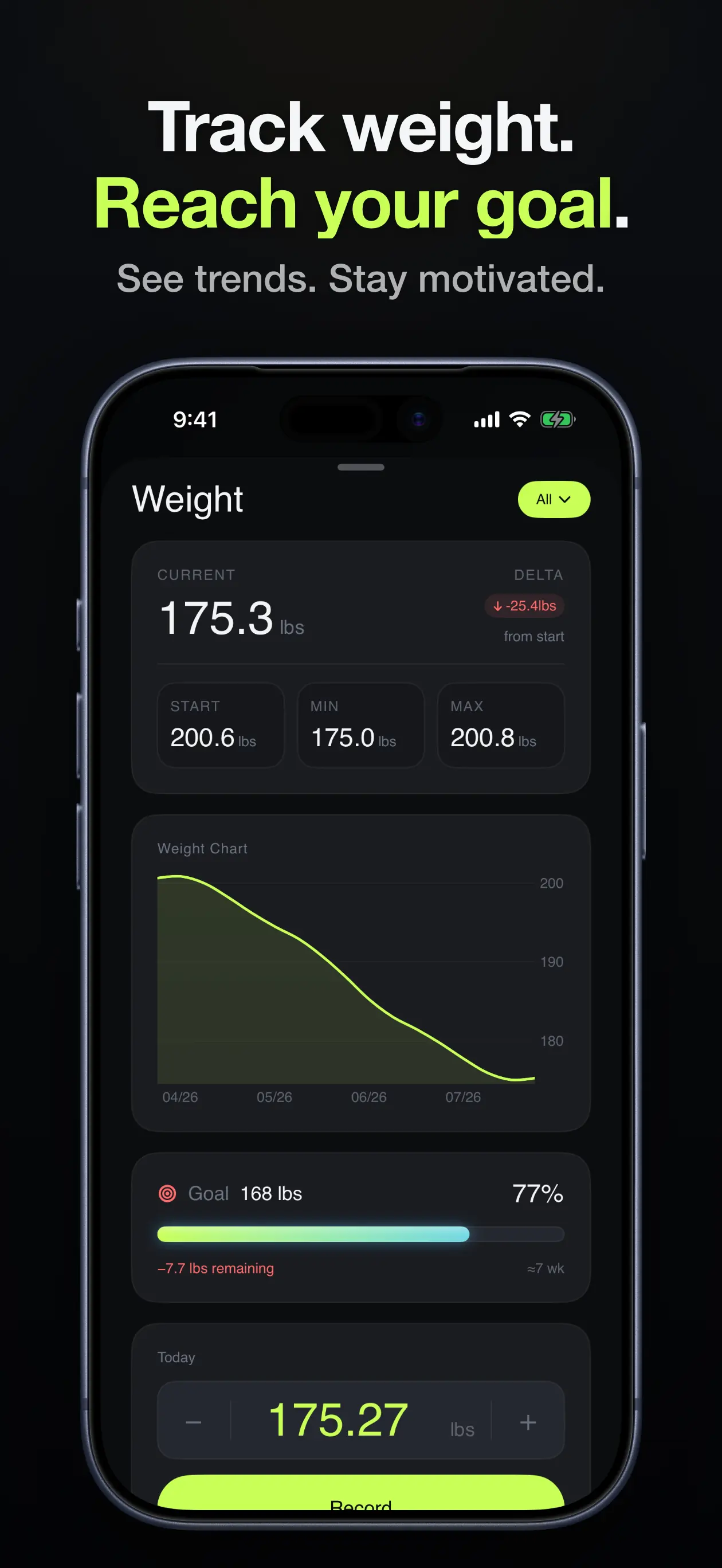
Weight screen with current weight, start, min and max, a weight chart and a goal progress bar
Track weight and reach your goal
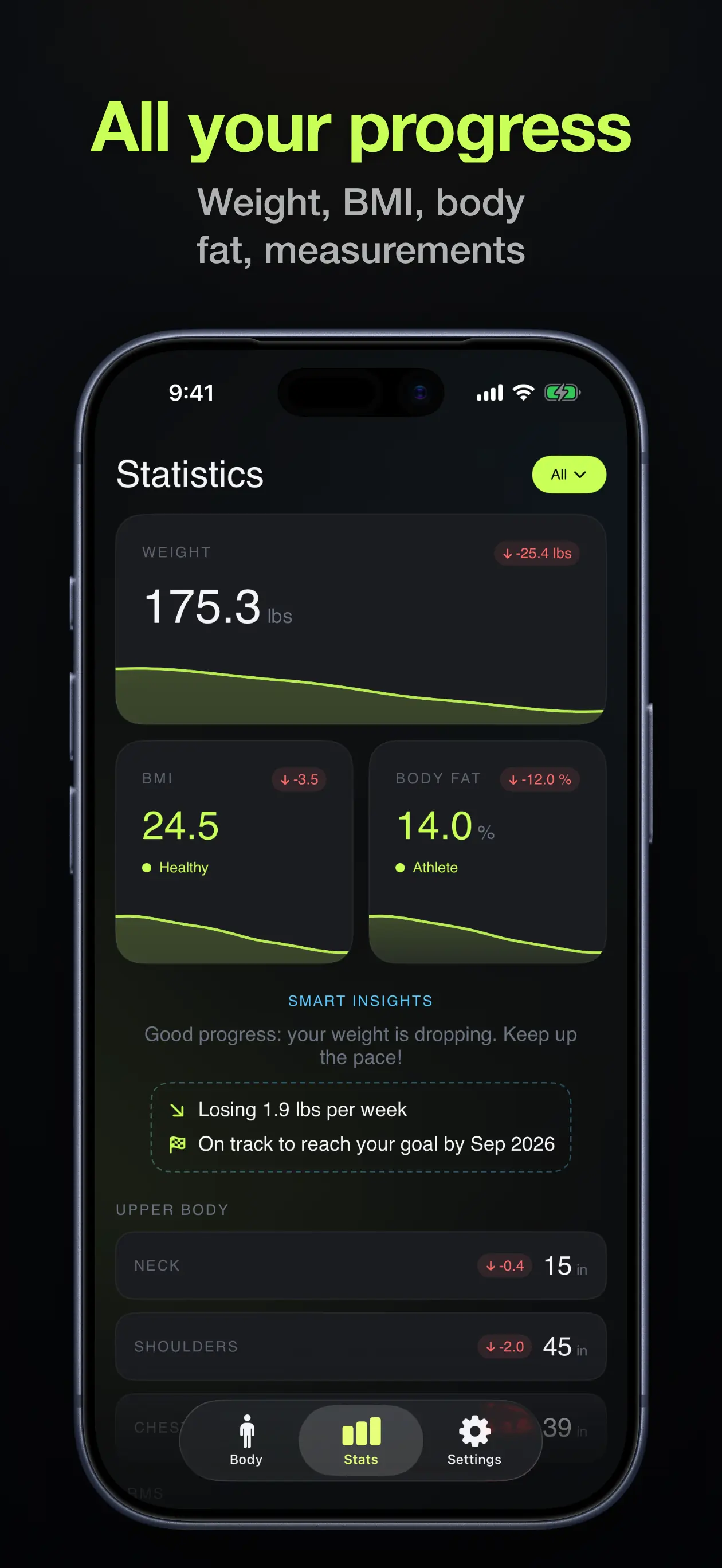
Statistics screen showing weight, BMI and body fat cards with trend sparklines and smart insights
All your progress in one view
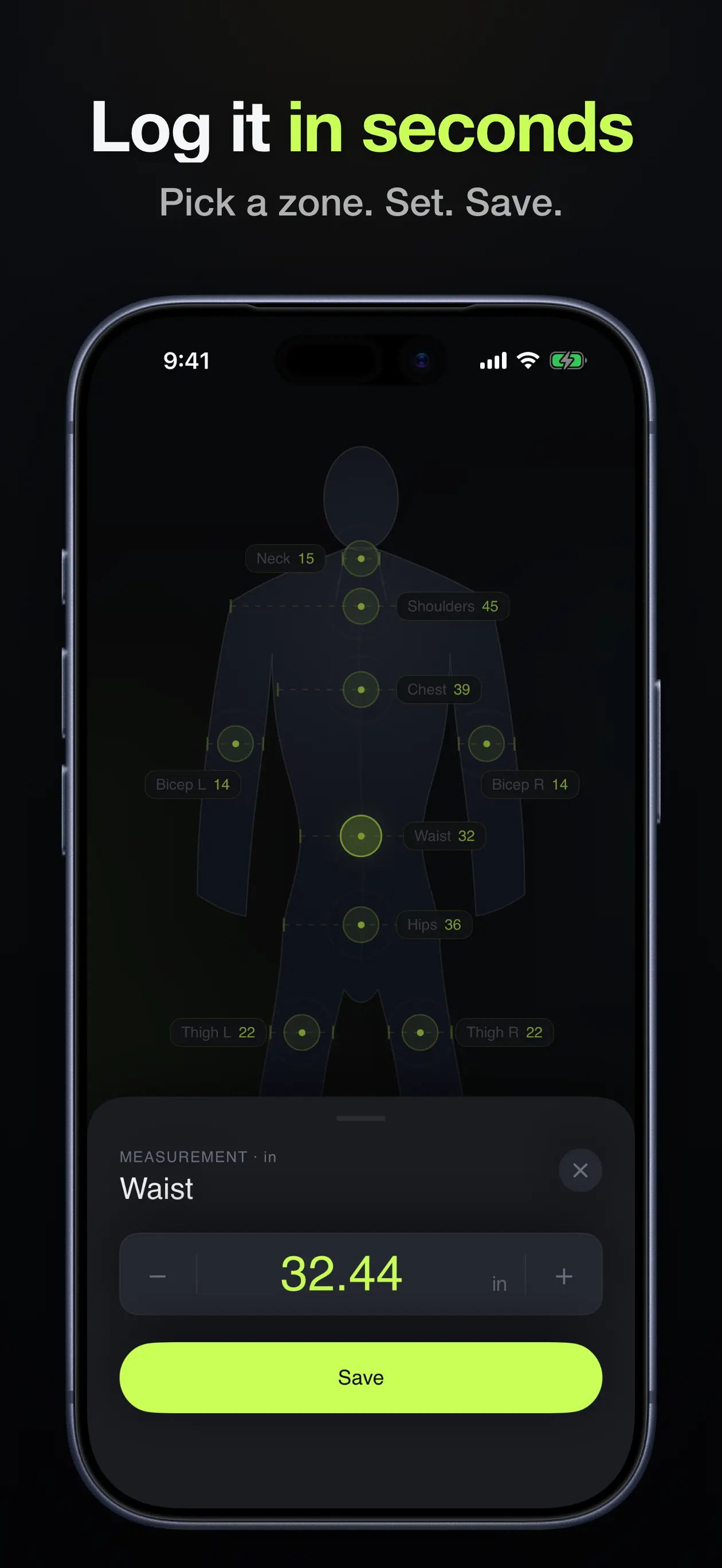
Logging a waist measurement of 32.44 inches from the body map with a save button
Log a measurement in seconds
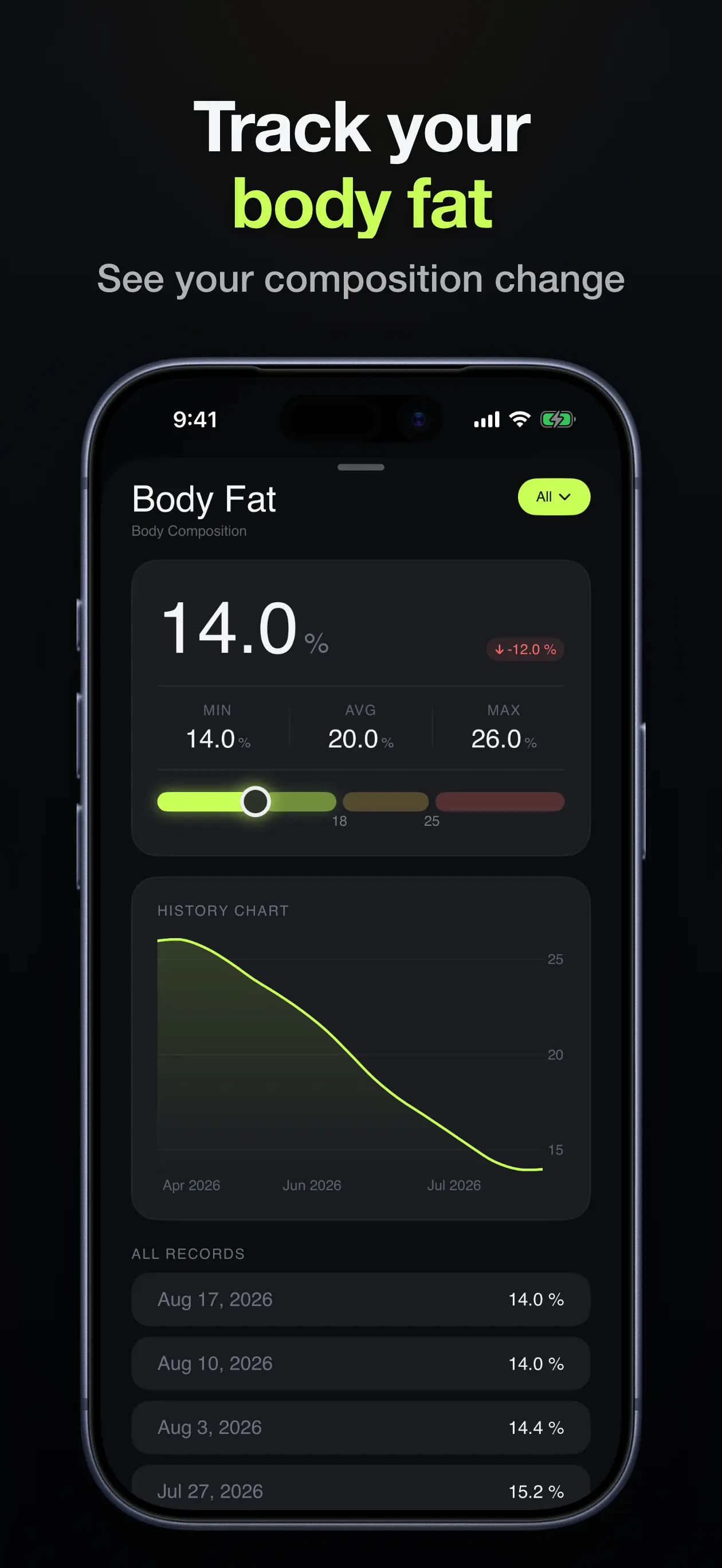
Body fat percentage screen with current value, min, average and max, a history chart and dated records
Follow body fat percentage
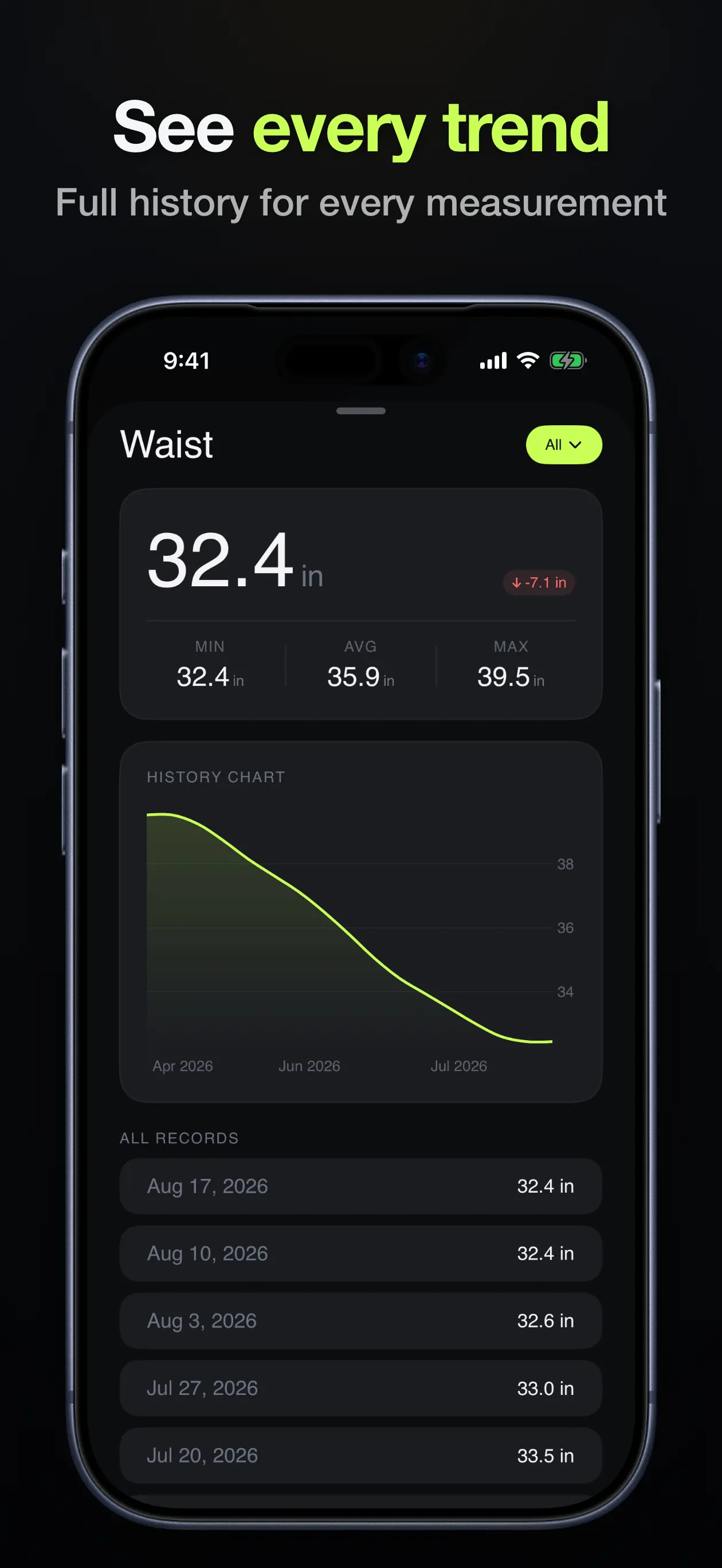
Waist measurement detail screen with min, average and max, a history chart and all dated records
Full history for every measurement
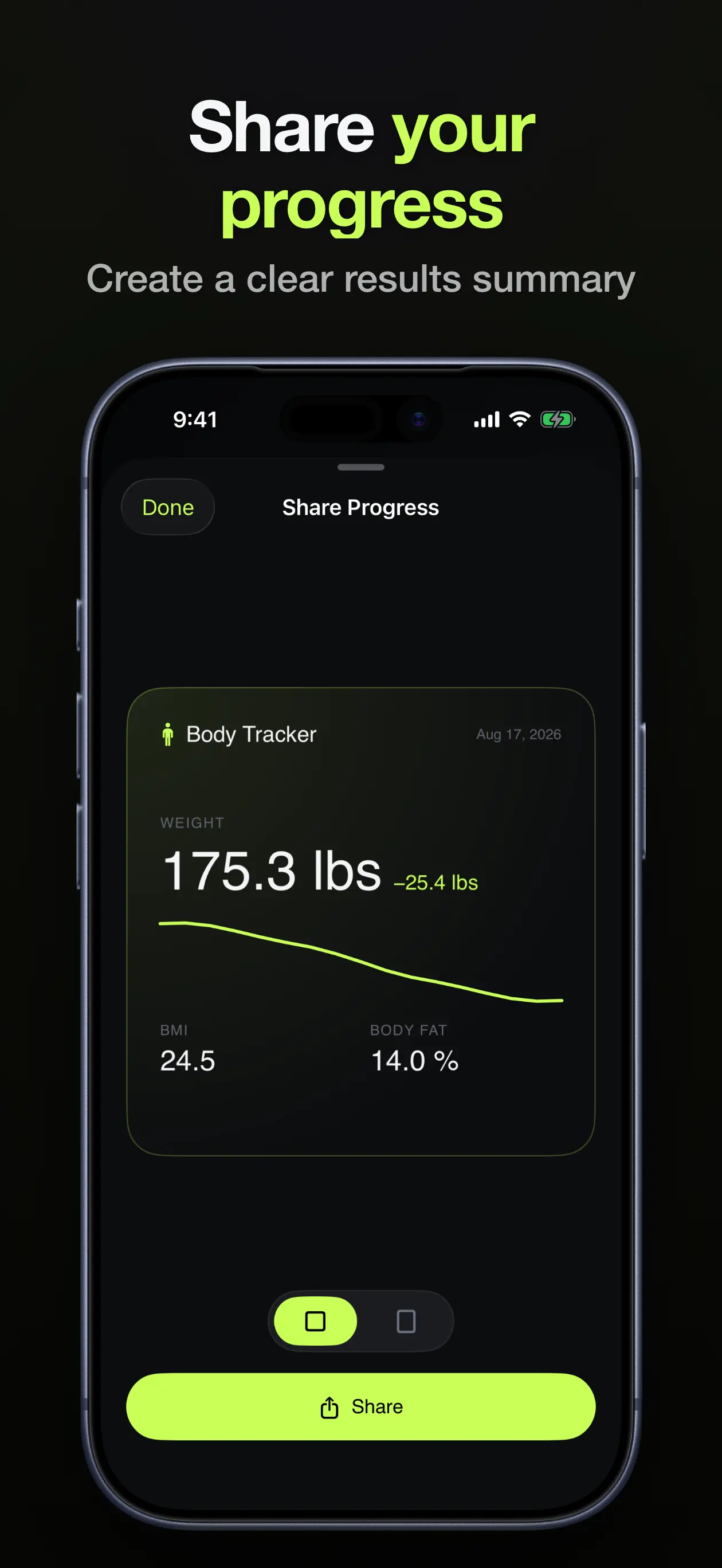
Share Progress screen with a summary card showing weight, weight change, BMI and body fat
Share a clean progress summary

How it works

No complicated setup, crowded dashboards, or unnecessary steps — just three simple habits.

1

Pick a spot on the body map

Tap any point on the body map — neck, shoulders, chest, biceps, waist, hips, thighs, or calves — dial in the number in metric or imperial, and save.

2

Log weight, body fat & photos

Record your weight and body fat percentage from the same screen, and add a progress photo whenever you want a visual record.

3

Watch your progress

Set a target weight and follow clear charts, trends, and side-by-side photo comparisons in Statistics until you reach your goal.

📍

Visual body map

Eleven measurement points — neck, shoulders, chest, biceps, waist, hips, thighs, and calves — with left and right tracked separately.

🎯

Weight goal tracking

Set a target weight and see how much remains, how fast you’re moving, and when you’re on track to get there.

📸

Before & after photos

Compare any two progress photos side by side, with the exact change in weight, BMI, and body fat between them.

💧

Body fat & BMI

Track your body fat percentage over time, with BMI calculated for you and shown alongside it in Statistics.

📊

Trends & history

Every metric keeps a dated history with min, average, and max, plus a chart that shows where it’s heading.

📤

Share your progress

Create a clean summary card of your weight, BMI, and body fat, and share your results whenever you want.

Frequently asked questions

How do I take body measurements correctly?
Use a flexible tape measure, keep it level and snug (not tight), measure at the same time of day, and record each site the same way every time — waist, chest, hips, biceps, thighs, calves, neck, and shoulders. Learn more →
Which body measurements should I track?
Waist is the single most useful measurement for fat loss; chest, shoulders, and biceps show the most for muscle gain. The app covers eleven points on the body map — neck, shoulders, chest, both biceps, waist, hips, both thighs, and both calves — each with its own history. Learn more →
How often should I weigh myself and take measurements?
Measurements change slowly — weekly or bi-weekly is enough, and trends matter more than any single reading. The app keeps a dated history for every metric so you can compare across weeks and months. Learn more →
How do I take good before-and-after progress photos?
Same location, lighting, angle, distance, pose, and similar clothing every time — front and side views on a repeatable schedule. The app compares any two photos side by side with the exact change in weight, BMI, and body fat between them. Learn more →
How can I track body fat percentage at home?
Smart scales, skinfold calipers, or tape-measure estimates all work — what matters is measuring the same way each time and logging the result. The app charts your body fat history with min, average, and max so you can see the trend. Learn more →
Does the app still have a BMI calculator?
Yes. As of version 2.2 the BMI calculator lives in the Statistics tab, next to your weight and body fat. It works from your height and weight in either unit system and shows your category, and your BMI change also appears in photo comparisons and shared summaries. Learn more →
Is Weight & Measurements Tracker free?
Yes — the app is free to download on the App Store and completely ad-free. An optional Premium upgrade is available as a monthly or yearly subscription, or as a one-time lifetime purchase.
Does the app support metric and imperial units?
Yes. You can log weight and every body measurement in metric or imperial units — kilograms and centimetres, or pounds and inches.

Start tracking real progress today

Whether you’re losing weight, building muscle, or simply keeping an eye on your body composition — keep every important measurement organized in one free, ad-free app.