
Split trip expenses without the awkward math
Track shared travel costs, divide bills fairly, and see exactly who owes whom — automatically. From the first taxi to the final settle-up, everyone’s balance stays clear. Free, and no account required.
Download SplitTrip for iPhone & iPad
Free on the App Store. No account required — create a trip and add your first shared expense in seconds.
See the app in action
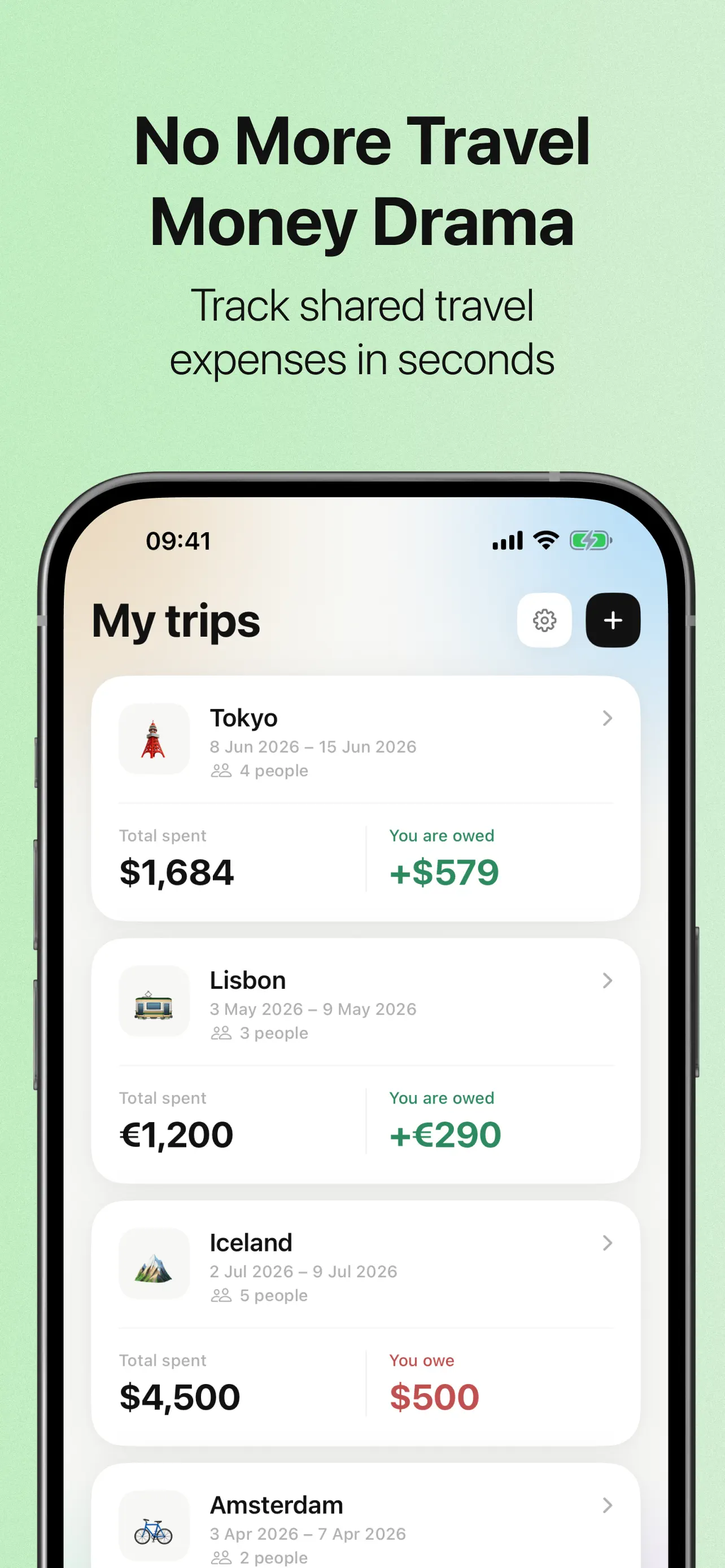
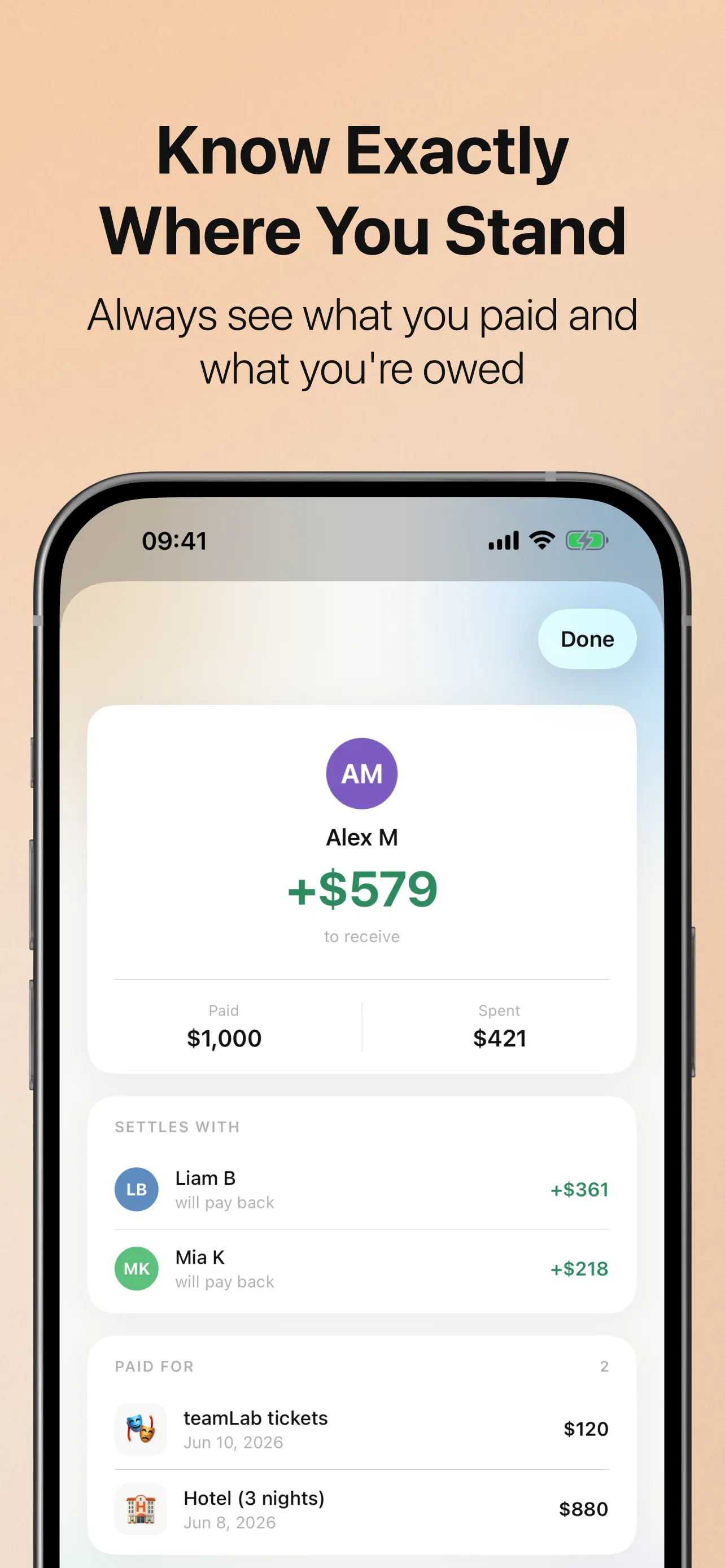
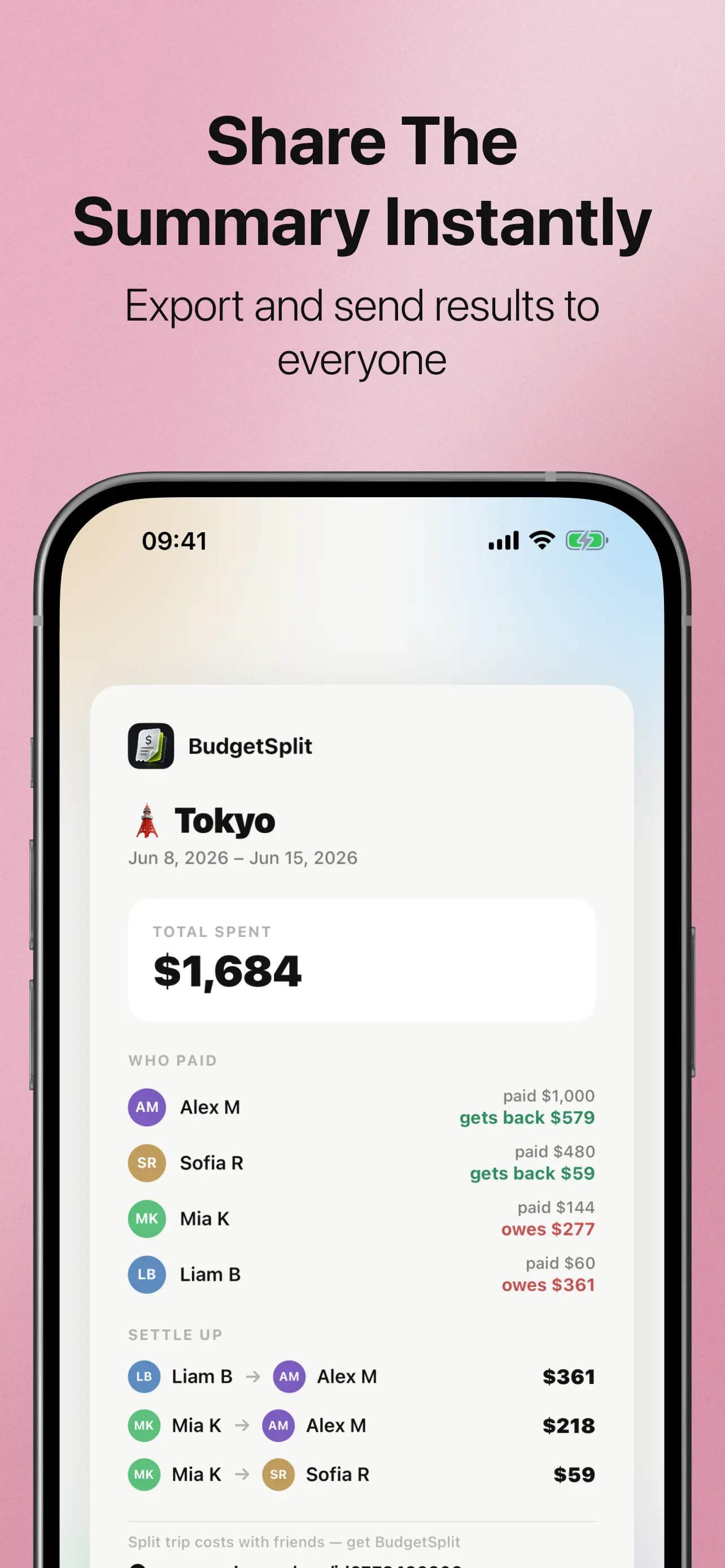
Everything a group trip needs — fast expense entry, fair splits, automatic who-owes-whom, and a summary you can send to everyone.
How it works
From the first shared expense to the final settle-up — three simple steps.
Create a trip
Start a trip and add the people in it — friends, family, your partner, or a bigger group. No account needed, for you or for them.
Add expenses as you go
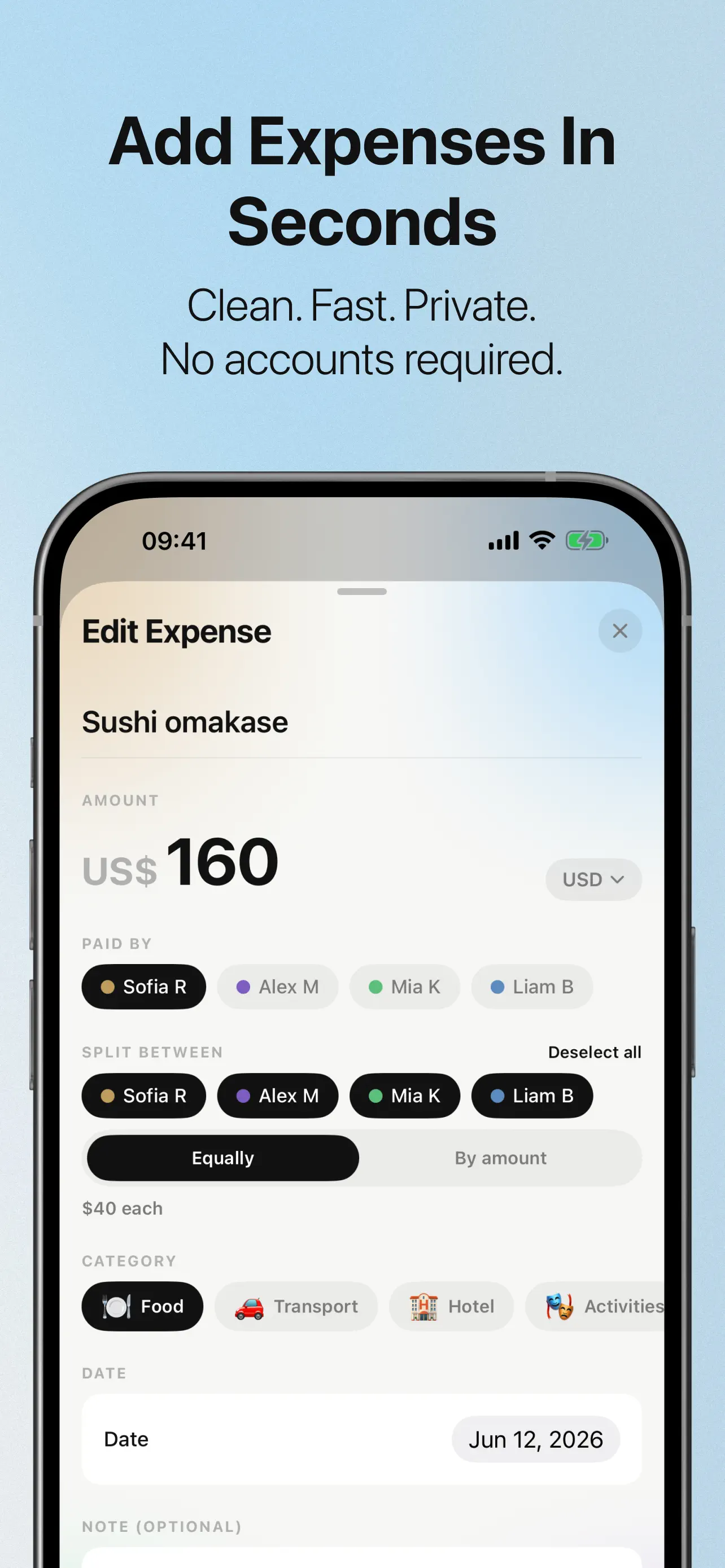
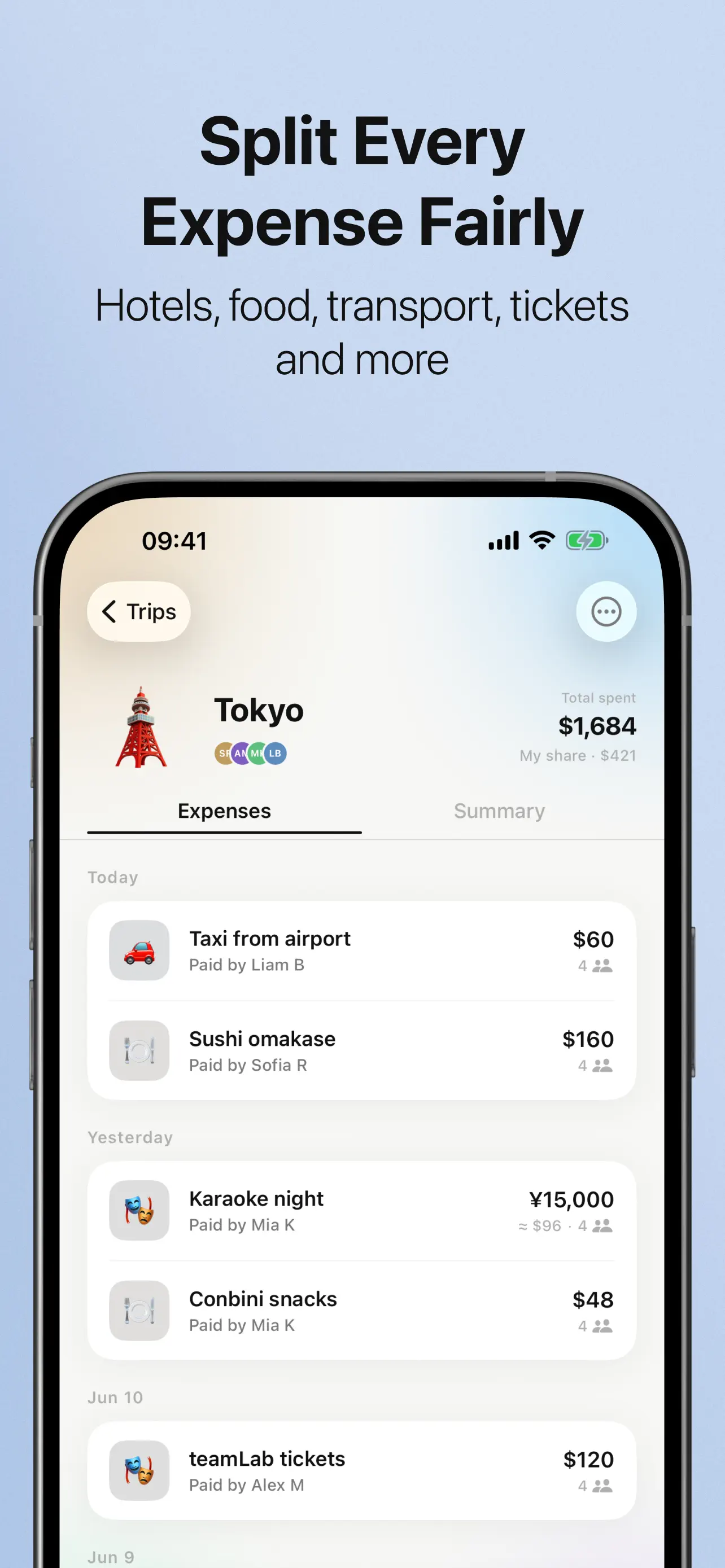
Record hotels, food, transport, tickets, activities, and shopping in seconds. Choose who paid, then split equally or by amount — between everyone or only the people involved.
Settle up once
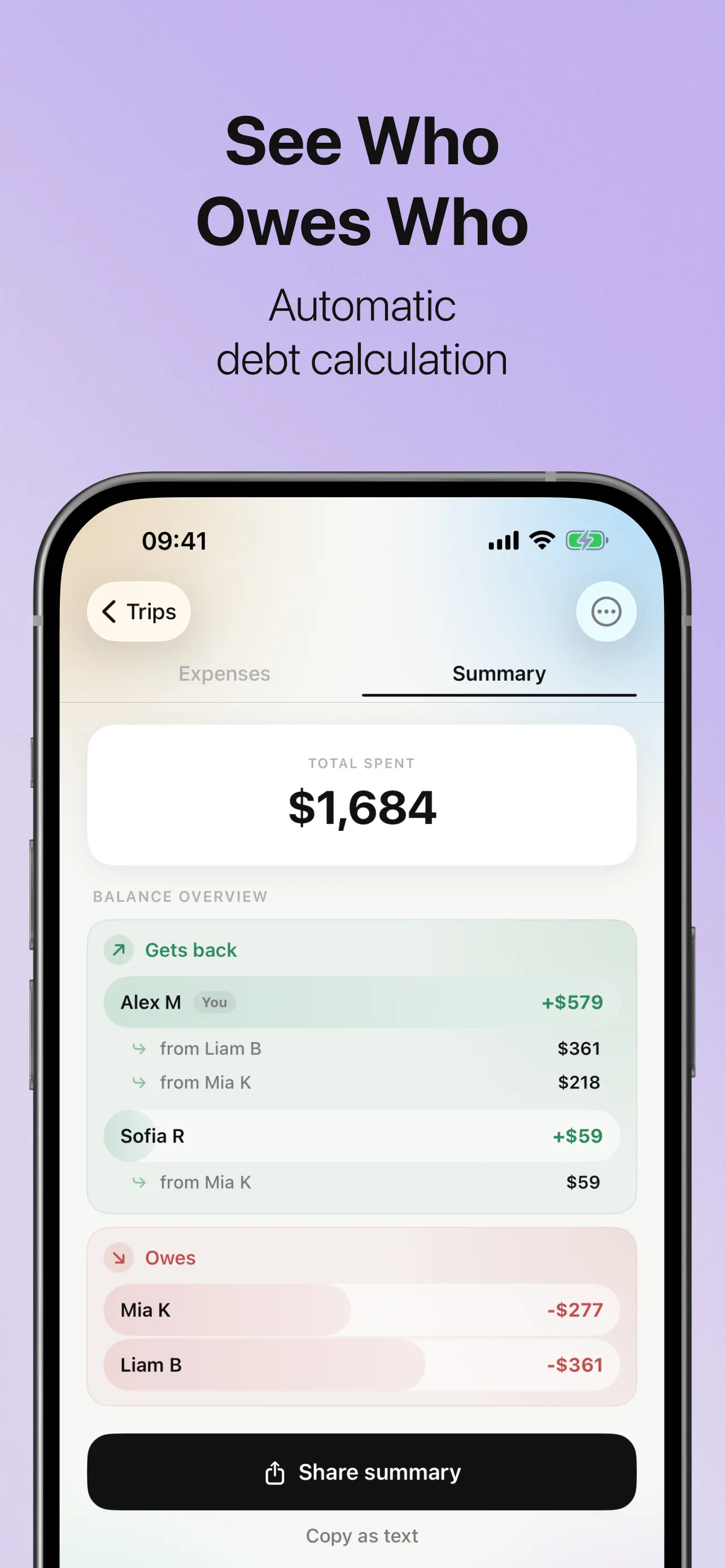
SplitTrip calculates everyone’s balance and shows the simplest way to settle the trip. Share the summary so everyone sees the same numbers.
Fast expense tracking
Add a shared cost in seconds with categories for hotels, food, transport, tickets, activities, and shopping.
Fair bill splitting
Split equally or by exact amounts, and include only the people who were actually involved in each expense.
Automatic who-owes-whom
Debt calculations run automatically and show the simplest settlement plan — who pays, who receives, and how much.
Clear personal balance
Always see what you paid, what your share is, and what others owe you — no spreadsheet required.
Shareable trip summary
Send an easy-to-read summary of the whole trip to everyone, or copy it as text into your group chat.
Private, no account
A clean and private experience — no sign-up, no profile. Download and start splitting right away.
Guides: splitting travel costs, without the drama
Straight answers to the money questions every group trip runs into — and the fairest way to handle each one.
How to Split Travel Expenses With Friends
The four splitting methods that actually work, what to agree on before the trip, and the mistakes that cause drama.
Who Owes Who After a Group Trip?
The simple math behind settling up — and how debt simplification turns a web of IOUs into a few payments.
How to Split Hotel & Airbnb Costs
Per person or per room? Fair ways to handle couples, private rooms, and the person on the sofa bed.
How to Split Gas Money on a Road Trip
The fuel cost formula, what to do about the driver’s car, and splitting legs when people hop in and out.
Splitting Expenses in Different Currencies
How to keep balances fair when the trip is paid in euros, yen, and dollars — without exchange-rate arguments.
How Couples Split Travel Costs
50/50, proportional to income, or by category — what works at different stages of a relationship.
How to Plan a Group Trip Budget
Agree on numbers before you book — shared vs personal costs, buffers, and one tracker everyone trusts.
How to Ask a Friend to Pay You Back
Scripts that don’t feel awkward, when to send them, and how a clear summary does the asking for you.